How to Choose a Document Generation Tool (Without Buying a Workflow Suite)
The Document Generation Tool Trap
Your team needs to generate documents. Contracts, offer letters, NDAs, invoices - the kind of paperwork that keeps a business running but shouldn't consume half your team's week.
So you search for a document generation tool. And every result is a "platform."
Document generation bundled with contract lifecycle management, configure-price-quote, e-signatures, workflow automation, analytics dashboards, and a dozen features you didn't ask for. You wanted a tool to generate documents. You're being sold an enterprise suite.
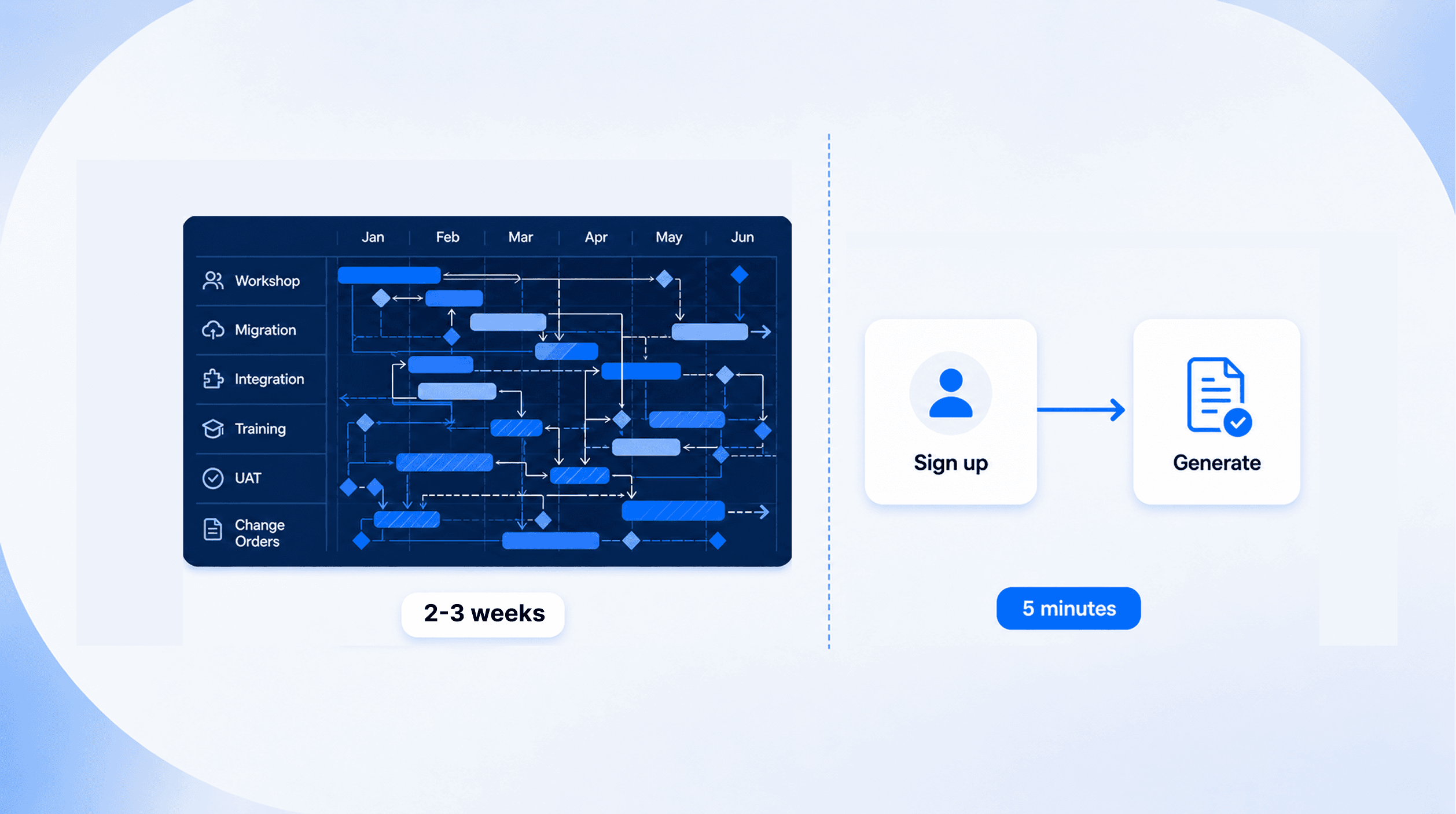
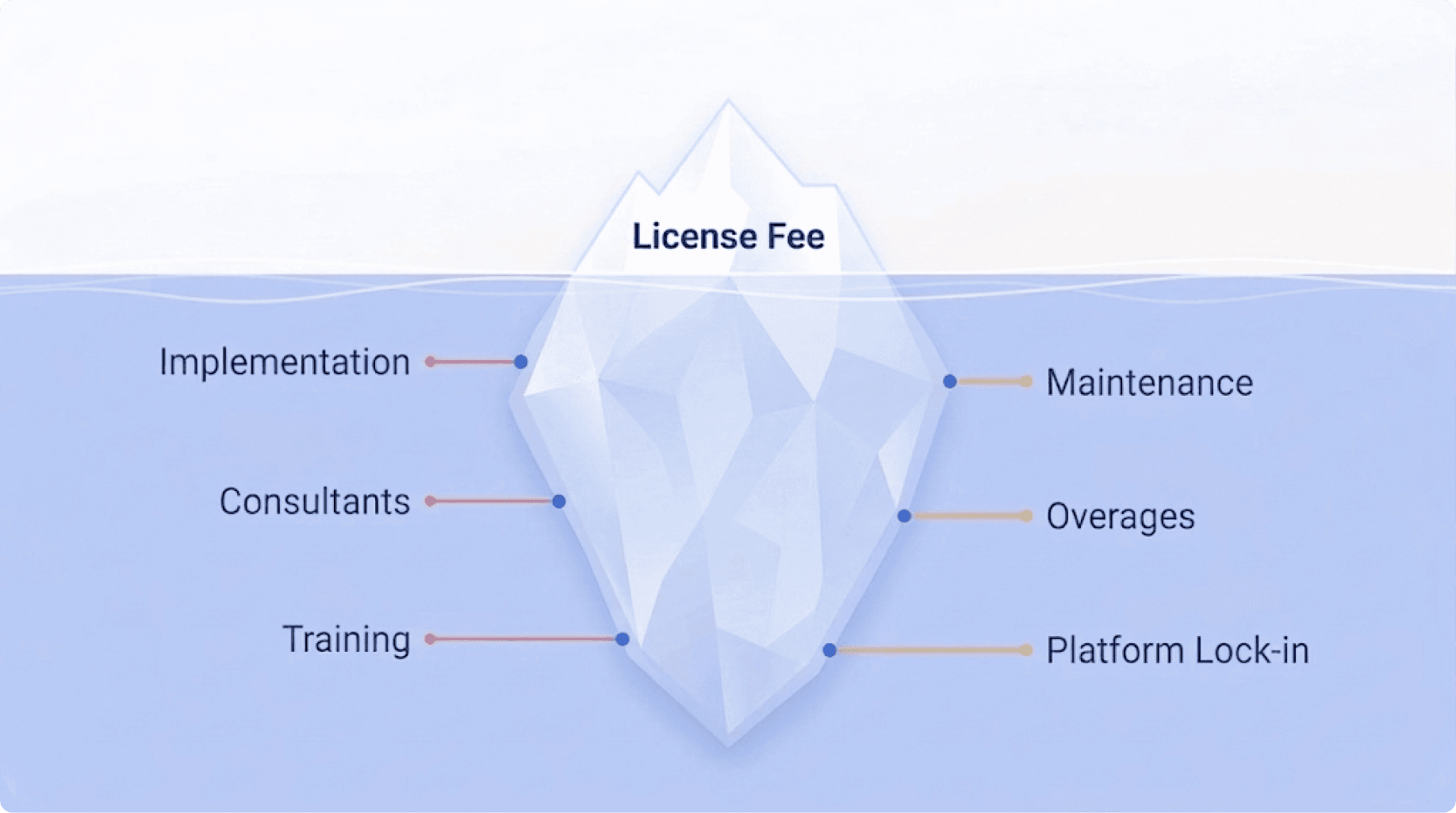
Here's what nobody tells you upfront: the license fee is the smallest part of the cost. The real expense is the 6-month implementation timeline. The consultant at $200/hour who's the only person who understands how to configure your templates. The 6-week wait to update a single field in your NDA. The training programme your team needs before they can use what was supposed to make their lives easier.
This is the document generation tool trap. You buy a suite because the tool you need is buried inside it. And then you spend the next year paying for everything around it.
Workflow Suite vs. Focused Engine - What's the Difference?
Not all document generation tools are built the same way. The market has split into two distinct categories, and understanding the difference will save you months of wasted time and thousands in unnecessary spending.
The Workflow Suite
A workflow suite is a broad platform that includes document generation as one feature among many. These tools were designed to manage entire business processes - contracts, approvals, signatures, compliance tracking - and document generation is bundled in.
The pitch sounds compelling: "One platform for everything." In practice, it means:
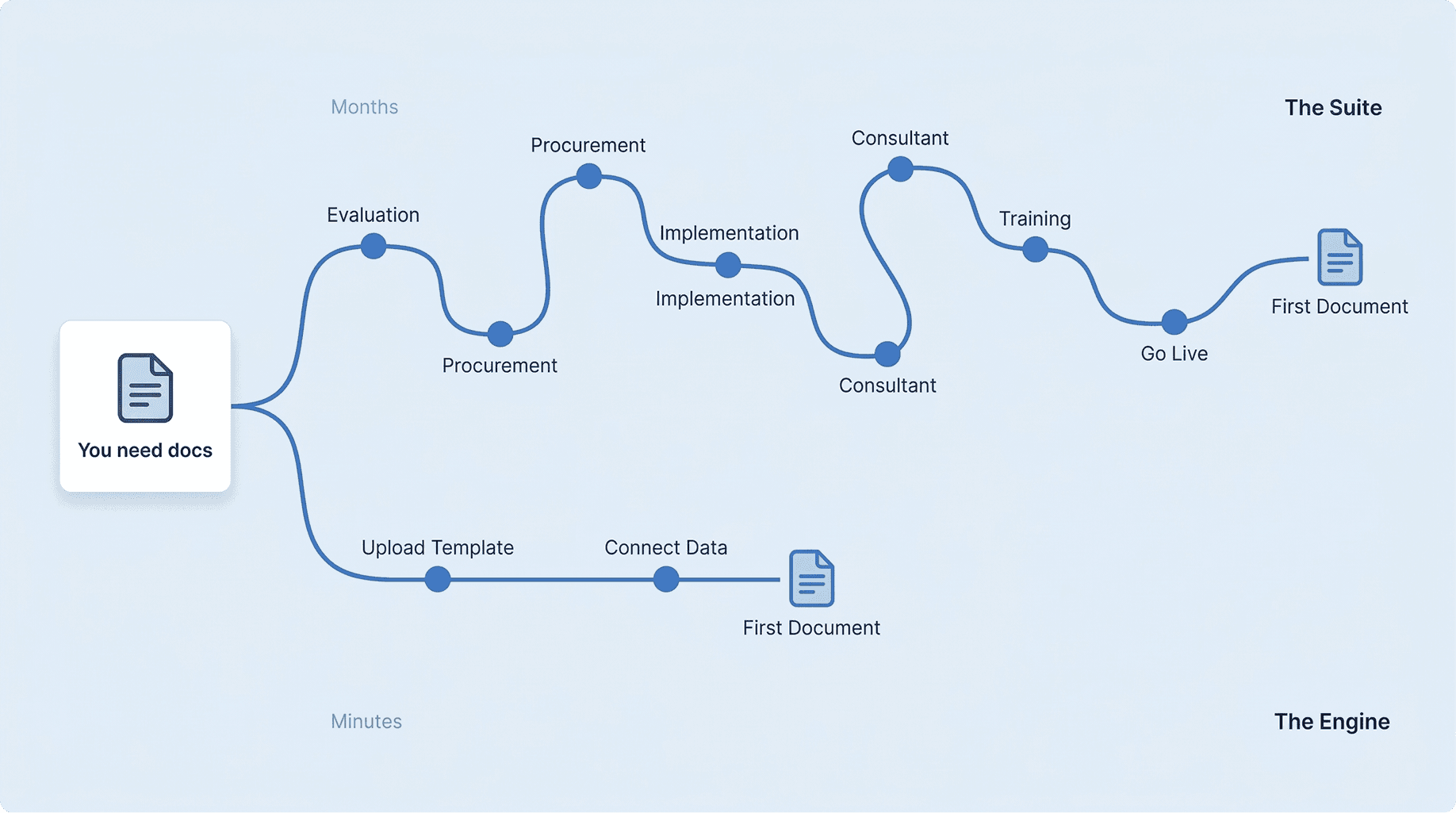
Setup takes weeks or months, not hours. You're configuring an entire platform, not just a document tool.
You need a consultant. The system is powerful, but that power comes with complexity that requires specialised knowledge to configure.
You're locked in. Once your templates, workflows, and integrations live inside the suite, switching costs are enormous.
You pay for features you don't use. Your team needs document generation, but you're paying for contract lifecycle management, CPQ, and analytics modules that sit untouched.
Pricing is opaque. Custom quotes, transaction-based overages, and feature gating mean the price you're quoted is rarely the price you pay. It's not uncommon for teams to budget for one amount and end up paying 50–100% more after overages and feature upgrades.
The Focused Engine
A focused engine does one thing: generate documents. It connects to your existing systems via API, takes your data and your templates, and produces perfectly formatted output. That's it.
The tradeoffs are different:
Setup takes minutes. You upload a template, connect your data source, and generate your first document the same day.
No consultant needed. If your team can use a web form, they can use the tool. If your developers can make an API call, they can integrate it.
Platform-agnostic. It works with whatever CRM, ERP, HR tool, or custom system you already use. No lock-in.
You pay for what you use. Transparent pricing. No hidden overages. No feature gating on core functionality.
The difference isn't just technical - it's philosophical. A workflow suite assumes you'll reorganise your processes around their platform. A focused engine assumes you already have processes that work and just need better document output.
7 Questions to Ask Before You Buy
Before you evaluate any tool, run it through these seven questions. They're designed to reveal the total cost of ownership - not just the sticker price.
1. How long until we generate our first document?
This is the single most revealing question you can ask. If the answer involves a "project plan," an "implementation partner," or a timeline measured in weeks, you're looking at a suite, not a tool. A focused document generation engine should get you from sign-up to first generated document in minutes - not months.
2. Do we need a consultant to configure it?
If your document generation software requires a certified consultant just to update an NDA template, you don't have automation. You have a dependency. Every time your legal team changes a clause, every time HR updates an offer letter, every time your sales contract needs a new pricing table - you shouldn't need to call someone external.
"If the answer to question 2 is yes, you're not buying a tool - you're buying a project."
3. Does it integrate with our existing systems via API?
Your data lives in your CRM. Your HR tool. Your ERP. A document generation tool should connect to wherever your data already is - via a clean REST API - without requiring you to migrate to a new platform. Ask specifically: is the API a core feature, or a bolt-on?
4. Can it handle our specific formatting needs?
This is where many tools fall apart. Simple merge fields work everywhere. But what about:
Complex conditional sections (show clause A for client type X, clause B for client type Y)?
Nested tables with dynamic rows?
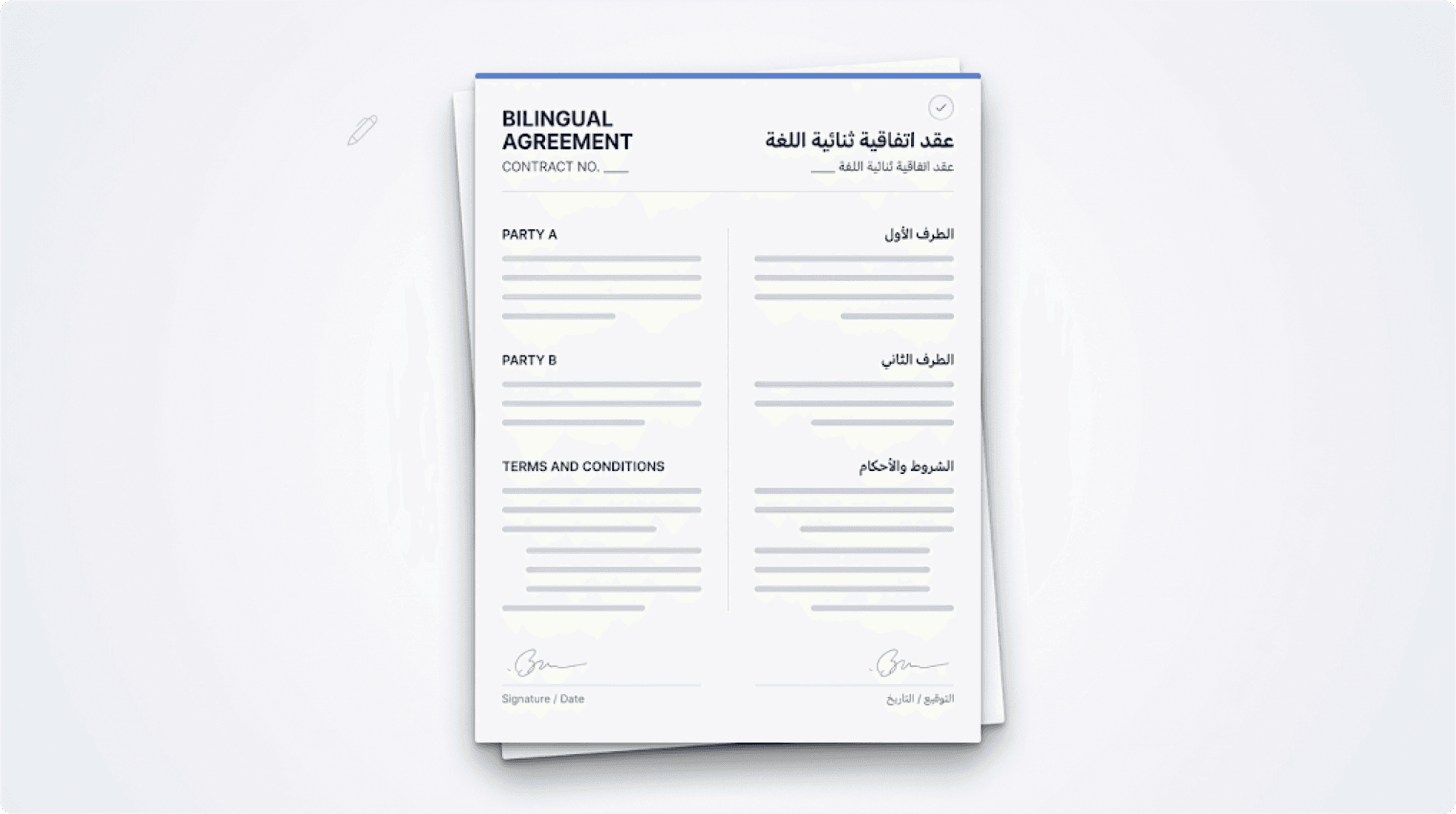
Bilingual documents with mixed left-to-right and right-to-left text?
Precise formatting preservation across hundreds of generated documents?
Ask for a sample generation using your most complex template. If the formatting breaks, it will break every time at scale.
5. What's the real total cost - not just the license?
Ask for the all-in number. Implementation fees. Consultant hours. Training. Annual maintenance. And critically: transaction-based overages. Some tools charge per document generated beyond a certain threshold - anywhere from $0.50 to $1.20 per document. For a team generating hundreds of documents monthly, these overages can double your annual cost.
6. Can non-technical team members use it without training?
Your legal team, HR team, and operations team shouldn't need a technical background to generate documents. If the tool requires training sessions before your team can use it productively, factor that time and cost into your evaluation. A well-designed tool should be usable on day one.
7. Are we buying capabilities we'll never use?
This is the honest question. If you need document generation and you're being quoted for a platform that includes contract lifecycle management, e-signatures, approval workflows, and compliance tracking - ask yourself: will we use all of this? If the answer is no, you're subsidising features that serve someone else's use case.
What to Look For Instead
The good news: you don't have to choose between "enterprise suite with everything" and "basic mail merge that breaks on complex templates." A new category of document generation tools has emerged - focused engines that combine enterprise-grade output quality with consumer-grade simplicity.
Here's what that looks like in practice:
Speed over setup: Your first document should be generated within minutes of signing up. Upload a DOCX template, map your data fields, hit generate. If you can't do that on day one, the tool is too complex for what you need.
API-first architecture: The tool should connect to any system - Salesforce, SAP, Zoho, a custom internal tool, anything with an API. You shouldn't be forced to adopt a new platform just to generate documents.
No-code for business users, full API for developers: Your HR team should be able to generate offer letters through a simple web form. Your engineering team should be able to trigger document generation from any system via API. Both paths should exist, and neither should require a consultant.
Transparent, predictable pricing: You should know exactly what you're paying before you sign. No custom quotes that hide the real number. No transaction-based overages that penalise you for actually using the product. No feature gating that forces you to upgrade just to access conditional logic in templates.
Formatting that doesn't break: Complex tables, conditional sections, multilingual support, right-to-left text - the tool should handle these reliably at any volume. This is the difference between a demo that looks good and a product that works in production.